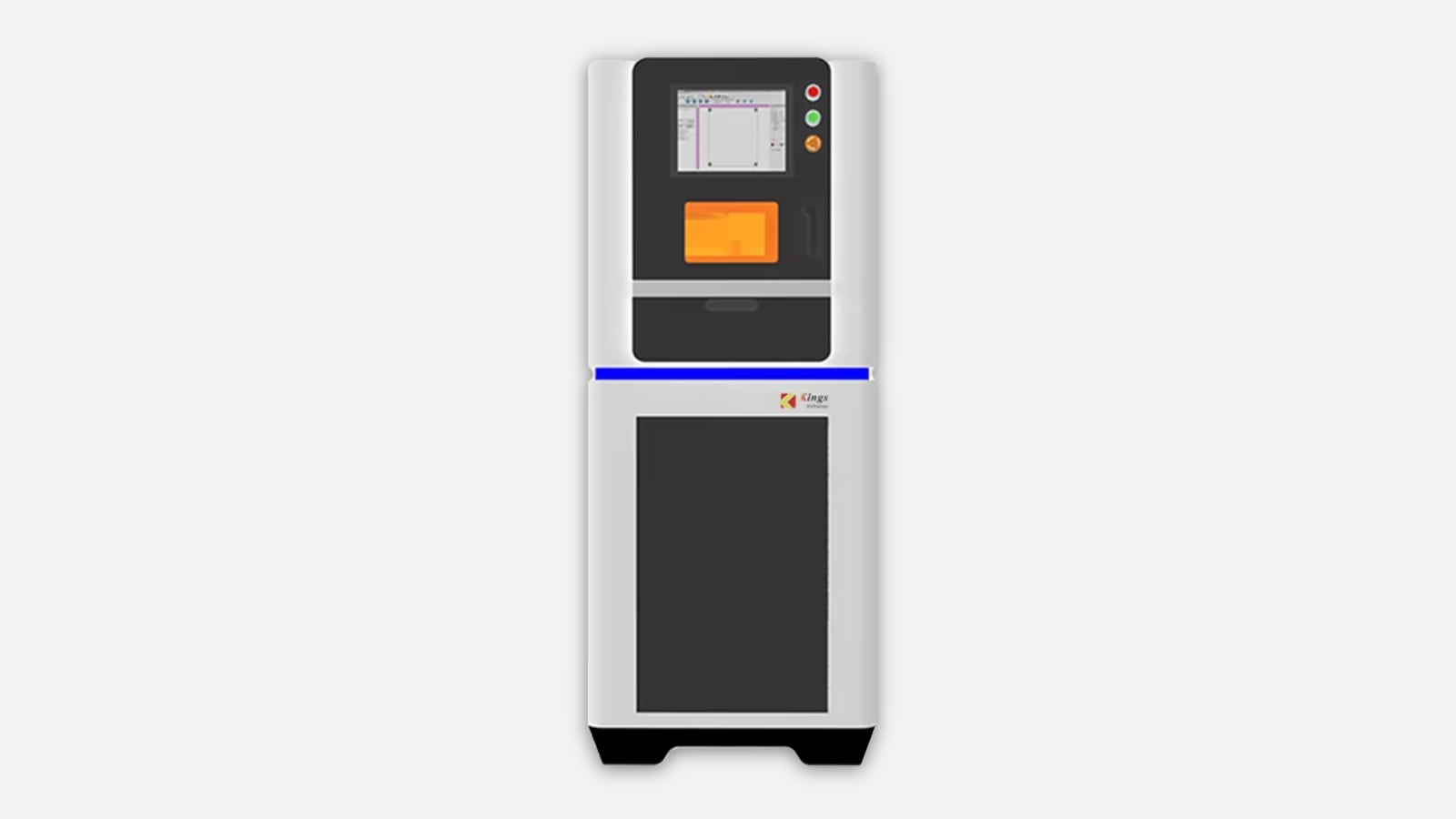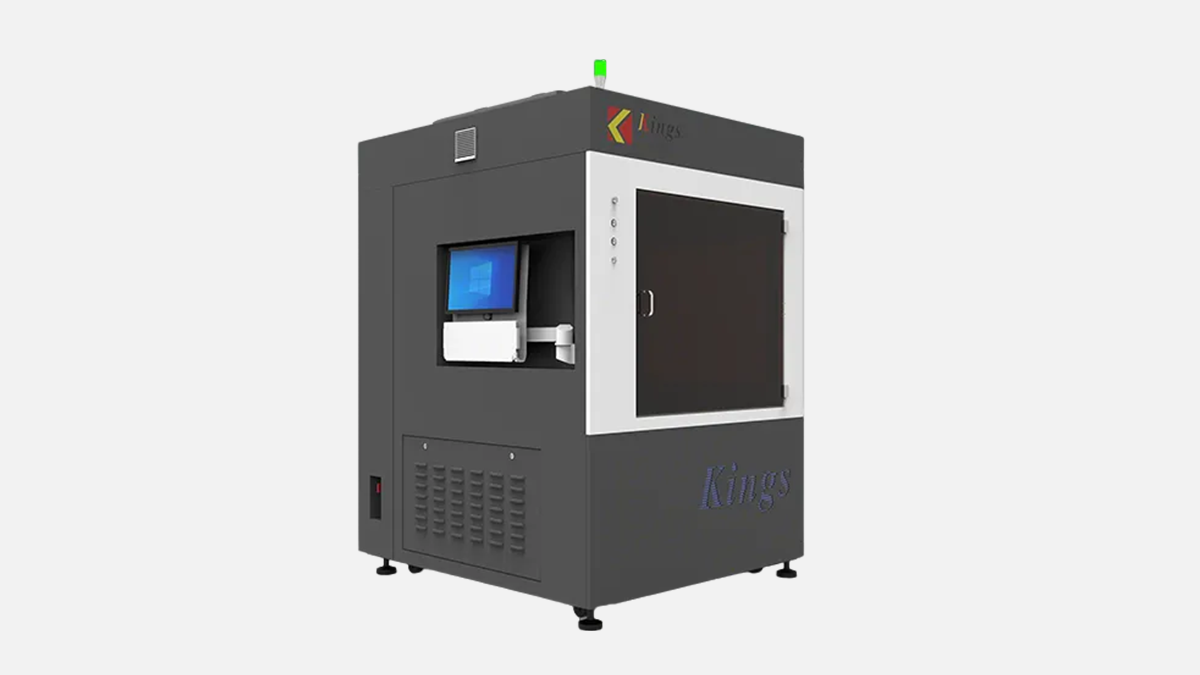
Large-format SLA printer with 1000 x 1000 x 600 mm build for one-piece prototypes, patterns, and production tooling masters.
Kings SLA 1000 Pro is a large-format SLA resin 3D printer built around a square-meter class build plane and a single UV laser scanning system. In practice, it is the kind of machine you consider when you are tired of splitting big assemblies into many parts, then spending hours on alignment, bonding, sanding, and rework.
Kings described the platform during its launch period like this: “Kings 1000pro, with a max build size of 1000 x 1000 x 600 mm, single laser.” That line matters because it tells you how the machine is positioned inside their large-format range, and it also hints at the key trade-off: one laser, but a big working area.
If you run a metalworking shop, this printer is usually not a replacement for CNC. It is a support tool that takes load off your milling and turning centers by producing patterns, fixtures, checking tools, and prototypes fast enough that your machining time is reserved for metal parts that truly need to be cut from billet.
Before talking about applications, it helps to lock the numbers that define what this machine can realistically do on the floor. The specs below come straight from the current technical data published for the model and they are the baseline for installation planning, process choice, and expectations.
Here is a compact table of the parameters that most buyers compare first. I am keeping it focused on figures that directly affect part size, finish, and how you connect the printer into a production environment.
| Parameter | Value |
|---|---|
| Build volume | 1000 x 1000 x 600 mm |
| Layer thickness | 0.05 to 0.2 mm |
| Laser type | Solid-state frequency tripled Nd:YVO4 |
| Laser wavelength | 355 nm |
| Variable beam spot | 0.08 to 0.8 mm |
| Max scanning speed | 15.0 m/s |
| Accuracy spec | ±0.1 mm (L ≤ 100 mm), ±0.1% x L (L > 100 mm) |
| Repeat positioning | ±0.01 mm |
| Data formats | STL, SLC |
| Network | Ethernet, TCP/IP |
Those numbers set expectations correctly. They also tell you this is an industrial UV laser SLA platform with variable spot capability, not a small office resin printer that happens to have a bigger tank.
On paper, build volume is the headline. On site, footprint and handling are what decide whether the machine is “easy” or becomes a constant headache. Kings lists the machine size as 160 cm (W) x 170 cm (D) x 243 cm (H), with a machine weight of 1630 kg. That is a serious piece of equipment, and it should be treated more like a machine tool than a desktop printer.
Resin logistics also matter. The first tank resin capacity is listed as 850 kg, which tells you this system is built for long runs and big parts, not for occasional prototypes. In a UAE workshop, that capacity is valuable when you want stable repeatability across many hours of printing, but it also means you need proper storage, handling, and housekeeping around photopolymer resin.
Before you commit floor space, there are a few practical checks worth doing. These points are not theoretical, they directly reduce installation surprises and prevent downtime during the first month.
Once these basics are in place, the machine tends to behave like any other production asset: it becomes predictable, and operators stop losing time to preventable issues. If you skip them, you may still print parts, but every job will feel harder than it should.
For UAE facilities, electrical and ambient requirements are usually manageable, but they still need to be respected because SLA is sensitive to process stability. Kings lists rated power consumption at 1.8 kVA and an electrical requirement of 200 to 240 VAC, 50/60 Hz, single-phase, 10 A. That is friendly compared to many machine tools, but you still want clean power and a stable circuit.
Ambient conditions matter more than many buyers expect, especially on large-format resin systems where a long run can drift if the environment is swinging. The published operating window calls for ambient temperature 20 to 26 °C and relative humidity below 40%, non-condensing. If you are operating in a hot climate, this pushes you toward a properly air-conditioned printing room rather than a mixed warehouse space.
Two practical habits help a lot here. First, keep the printer room temperature stable across the full print, not only at the start. Second, avoid opening doors and loading resin when your HVAC is fighting peak heat, because condensation risk and resin viscosity changes show up as surface defects and recoating issues.
The Kings SLA 1000 Pro uses a solid-state frequency tripled Nd:YVO4 laser with wavelength 355 nm, with resin surface power stated as at least 300 mW. For SLA, that wavelength is a standard industrial choice and it aligns with a broad range of photopolymer materials designed for UV curing.
Where this machine differentiates itself inside the SLA category is the variable beam specification. Kings lists beam size as 0.08 to 0.8 mm, and the system is described as a galvo closed-loop variable beam setup. On the shop floor, variable beam is valuable because it gives you a real knob to balance detail and throughput without changing hardware.
Here is how operators typically use this capability in production. You do not use one beam size for the whole job unless the part is extremely uniform. You tune beam size and process parameters based on where the part needs sharp features and where you are simply filling volume.
After those decisions are made, the output becomes much more predictable. You stop over-processing every part and you start running a stable recipe that matches the function of the part you are building.
Kings lists max scanning speed as 15.0 m/s. In SLA marketing, scanning speed is sometimes used loosely, but in real operation it still matters because it limits how fast you can expose large cross-sections and how quickly you can finish a big batch build.
In the Kings product communication around the platform, the printer is positioned for “large size items and batch printing.” That is consistent with the square build plane and the resin tank capacity, and it also matches how many toolrooms actually use large-format SLA: not only huge parts, but trays full of medium parts that must match each other.
The key message is simple. If your work is mostly small pieces, this machine is usually too big. If your work includes big patterns, large fixtures, or batches that fill a big plane, then scanning speed and variable beam start to pay off.
Large-format SLA succeeds or fails on stability. Any vibration, tilt, or inconsistent recoating shows up as layer lines, edge waviness, or failed prints, and on a 1000 mm class plane those issues become expensive quickly.
Kings highlights a marble-based structure in multiple places: marble recoater frame, marble elevator holder, and marble scanning system base. In addition, the coating mode is described as intelligent position vacuum recoating, and the motion control system is specified as closed-loop. Those are all choices that target repeatability rather than short-term headline speed.
Two numbers are worth calling out here because they connect directly to mechanical control. Vertical resolution ratio is listed as 0.0005 mm and repeat positioning accuracy is listed as ±0.01 mm. Even if you do not use the vertical figure as a direct print resolution claim, it signals how fine the Z-axis control is intended to be.
If you are deciding between printers in this class, recoating method and mechanical frame choices are often the real difference between “prints look good in demos” and “prints run every day.” For the Kings SLA 1000 Pro, the published structure and recoating approach are clearly focused on stable production runs.
The published accuracy specification is ±0.1 mm for lengths up to 100 mm, and ±0.1% times length for dimensions above 100 mm. For metalworking teams, the right way to read this is to treat the printer as a precision pattern and prototype tool, not as a final metrology-grade manufacturing process.
In practical terms, the most important question is not “can the printer hit a number once,” but “can we hit it repeatedly with our workflow.” Your workflow includes resin selection, part orientation, support strategy, washing, post curing, and how long the part rests before measurement.
To get closer to the spec in daily production, shops usually standardize a small set of habits and enforce them on every job. These habits are simple, and they reduce variation more than most parameter tweaks.
When these steps are controlled, SLA becomes a very reliable way to produce patterns, masters, and functional prototypes that match CAD closely enough for tooling decisions. Without control, the same machine can look inconsistent, and the problem is usually not the hardware.
The Kings SLA 1000 Pro is specified to run with KINGS 3D control software, using STL or SLC input data formats. Operating system is listed as Windows 10, and network connection is Ethernet with TCP/IP. For most production environments, that is a workable set of requirements because it matches how CAD and CAM offices are already organized.
The printer should be treated as part of a digital chain, not as a standalone gadget. That means you want clear ownership of file naming, revision control, and where sliced jobs are stored, especially when the build plane can hold many parts that belong to different internal projects.
A good workflow for a toolroom looks like this. Design stays in your CAD PDM system. Exported STL or SLC goes to a controlled job folder. Slicing parameters are stored as named recipes tied to resin type and part category. Then the machine receives jobs over Ethernet with a clear operator checklist.
That style of process is familiar to CNC teams, and it is why industrial SLA fits well into metalworking companies: you already know how to run controlled manufacturing data, and you can apply the same discipline here.
Kings states that they offer a selection of over 10 different photosensitive resin materials for functional prototypes and low-volume manufacturing. For a buyer, that matters because resin choice is not only about color or transparency. It affects stiffness, toughness, heat behavior, and how a pattern behaves during casting or mold making.
In published material lists associated with this platform, you will see examples like clear resins, rubber-like resins, and ABS-like resins. The names vary by catalog and region, but the functional categories are the part that matters for process planning in a metalworking environment.
Here is a practical way to map resin type to toolroom use. These are not generic statements, they are the categories you usually test first when you buy a large-format SLA system for production support.
After you select two or three resins that match your real parts, the machine becomes much easier to justify. You stop printing “demo pieces” and you start printing tools that save machining time or reduce changeover delays.
A resin SLA printer is not a metalworking machine in the classic sense, but it can still remove a lot of waste from a metalworking workflow. The Kings SLA 1000 Pro specifically helps when size is the constraint and you want one-piece models instead of assemblies.
The 1000 x 1000 x 600 mm envelope is the reason this model is relevant to production teams. In a toolroom, that envelope means you can build large masters, patterns, and fixtures in one piece, then finish and validate them quickly.
Below are the use cases where shops most often see value from this specific size class. Each one ties back to either large footprint, repeatability, or surface finish, which are the strengths of SLA.
What matters is the speed of iteration. When you can print a large fixture overnight and validate it in the morning, you reduce the number of “maybe” machining decisions, and you keep your CNC capacity focused on final parts.
With large-format SLA, post processing is not an afterthought. It is part of the process that defines surface quality and dimensional stability. The good news is that the steps are consistent, and once you standardize them, operators get predictable results.
A practical chain that works in production looks like this. It is deliberately boring because boring is what you want in production.
After these steps, you get the real benefit of SLA: smooth surfaces and clean edges that require less manual work than many other large-format additive processes. For toolrooms, that translates into quicker handover from “printed” to “usable.”
When buyers compare large-format SLA printers, the biggest mistake is looking only at the maximum build size. The better comparison is build shape, optics flexibility, and how fast the scanning system can cover a large cross-section without sacrificing detail.
To make the comparison fair, I am using manufacturer-published headline specs where they are available, and I am keeping the table limited to points that influence daily production decisions.
| Model | Build envelope | Laser wavelength | Spot or beam control | Max scanning speed |
|---|---|---|---|---|
| Kings SLA 1000 Pro | 1000 x 1000 x 600 mm | 355 nm | Variable beam 0.08 to 0.8 mm | 15.0 m/s |
| UnionTech RSPro1400 | 1400 x 700 x 500 mm | 355 nm | Beam size 0.12 to 0.85 mm | 6 to 10 m/s |
| 3D Systems ProX 950 | 1500 x 750 x 550 mm | Not published on the headline page | Two spot sizes per layer | Not published on the headline page |
This table shows why the Kings SLA 1000 Pro appeals to a specific type of buyer. Its build plane is square, which is convenient for batch nesting and for parts that are wide in both X and Y. Its minimum spot size is listed at 0.08 mm, which is a strong detail figure for a machine in this size class.
Compared with UnionTech RSPro1400, the Kings platform is smaller in maximum X length, but it offers a square build plane and a higher stated scanning speed at 15.0 m/s. Compared with 3D Systems ProX 950, the Kings machine is smaller, but it still sits in the large-format production category while keeping power and installation requirements relatively straightforward.
The “right” choice depends on what you print. If your parts are long and narrow, a 1500 x 750 style envelope can be the better fit. If your parts are wide, or you batch many parts in a square layout, 1000 x 1000 is often easier to utilize efficiently.
Kings lists machine warranty as 2 years including laser. For a buyer, warranty is only part of the ownership question. The other part is how disciplined your team is about calibration, cleanliness, and resin management.
In day-to-day work, the highest impact items are simple. Keep optics areas clean, keep recoating surfaces consistent, and do not allow uncontrolled resin contamination. Those are the habits that protect surface finish and reduce failed builds.
Here is what I would ask your team to prepare before the printer arrives, so the first month is productive. This is practical work that reduces “learning pain” for operators.
If you treat the machine like a production asset, it will behave like one. If you treat it like a lab experiment, you will spend too much time chasing variability that is not coming from the hardware.
Kings 3D positions itself as an industrial 3D printer manufacturer founded in 2008, with Shenzhen Kings 3D Printing Technology Co., Ltd. established in 2015 as part of their industrial expansion. On their company profile, they state equipment shipment volume above 10000 units, and they also state that over 5000 Kings printers were sold in 2023 across more than 40 countries.
For this specific machine category, it also helps that their SLA lineup is not a single model. On their own catalog, the SLA series list 12 machines, from smaller units up to very large formats. That matters because it usually means the control software, service practices, and materials are developed across a family, not only around one printer.
In simple terms, the Kings SLA 1000 Pro sits in the middle of their large-format SLA range: big enough for one-piece industrial patterns, but not so large that installation becomes a construction project.
Kings SLA 1000 Pro is typically bought by companies that need large resin parts for production support, not by teams that only do small visual prototypes. Toolrooms, mold and pattern shops, automotive model makers, and fabrication teams usually benefit the most because they can use the 1000 x 1000 plane efficiently and justify the resin volume capability.
The main advantages are straightforward: a 1000 x 1000 x 600 mm envelope for one-piece builds, a 355 nm UV laser with variable beam down to 0.08 mm for detail where it matters, and a stability-focused mechanical design with vacuum recoating and closed-loop control. These points are exactly why the machine is chosen by enterprises that want predictable large prototypes and tooling aids without tying up CNC time on non-metal tasks.